
Instant shortening
Paste the address and your short link is ready the same second. No account needed.
No sign-up, no waiting. Shareable, measurable, permanent short links.
lnkz.tr is a Turkey-based URL shortener that turns long web addresses into short, measurable links. Creating short links on the website is free and requires no account; with a free account you also get click statistics, expiring, click-limited and password-protected links, AI-assisted short code suggestions and a credit-based REST API.
Paste the address and your short link is ready the same second. No account needed.

See how often each link was opened, from which device and where the traffic came from.

Reads the destination page and suggests memorable short codes, titles and share copy.

Generate short links in bulk from your own systems using credits.
Click counts, device split and traffic sources in one dashboard. Crawlers do not inflate the counters — the numbers reflect real people.
Create a free account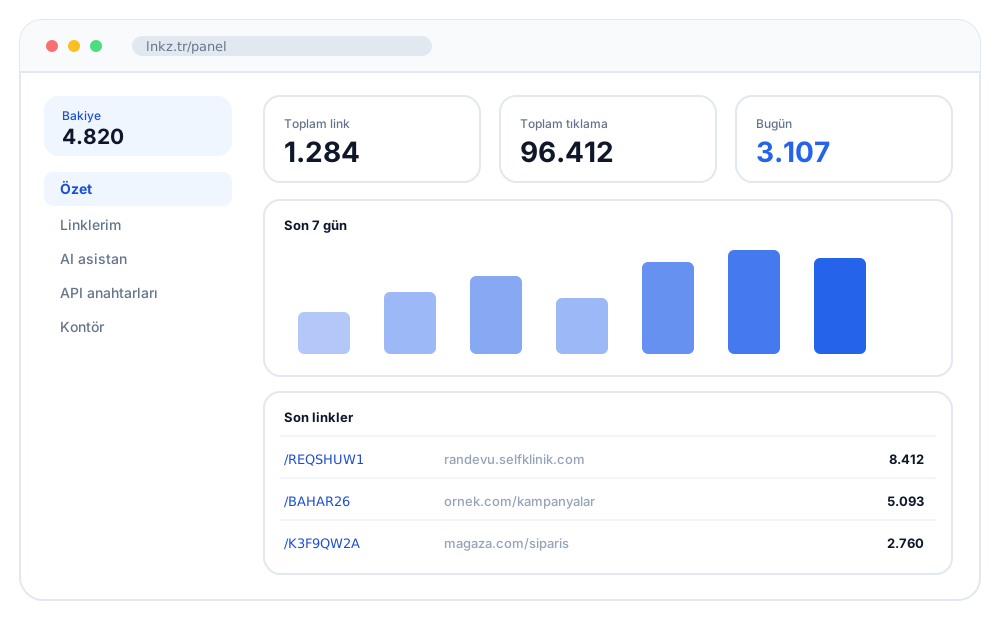
https://randevu.selfklinik.com/?GUID=a8faa905-477a-11f0-89df-52e18006e243
https://lnkz.tr/REQSHUW1
Create a free account, generate your API username and password from the dashboard, top up credits and start creating short links from your own application.
What a short link is, what happens behind the scenes, and why you would use one instead of a long address. Redirect mechanics, use cases and trade-offs.
What UTM parameters are, what each field answers, and how they work together with short links. Naming conventions, common mistakes and practical examples.
Why short links make QR codes easier to scan. Size, contrast, quiet zone, error correction levels and the tests to run before sending anything to print.
Yes. Shortening links on lnkz.tr is free and needs no sign-up. Credits are only spent on the API and AI features; there is no monthly subscription.
Paste the long address into the box on the home page, optionally type your own short code and press “Shorten”. Your short link is ready to copy, together with a QR code.
Yes. Instead of the generated code you can set a custom code of 3–32 letters, digits, hyphens or underscores, for example lnkz.tr/campaign-2026.
Short links redirect to the target with a 301 (permanent) redirect by default; there is no waiting or ad page in between.
With a free account the dashboard shows each link’s click count, device split and traffic sources. Crawlers are filtered out of the counters.
Yes. You can give links an expiry date, a click limit or a password, and disable a wrongly shared link from the dashboard with one click.
The API uses HTTP Basic authentication with the key and secret you generate in the dashboard; requests and responses are JSON. Each short link created through the API spends credits, and credits never expire.
IP addresses are never stored in plain text; only an irreversible hash (SHA-256) is kept. Passwords are also stored as irreversible hashes.