A QR code is the most practical bridge between print and digital. Yet a large share of the codes you see in the wild either fail to scan or lead somewhere wrong — and much of that comes down to what was encoded in them.
Long address means dense code
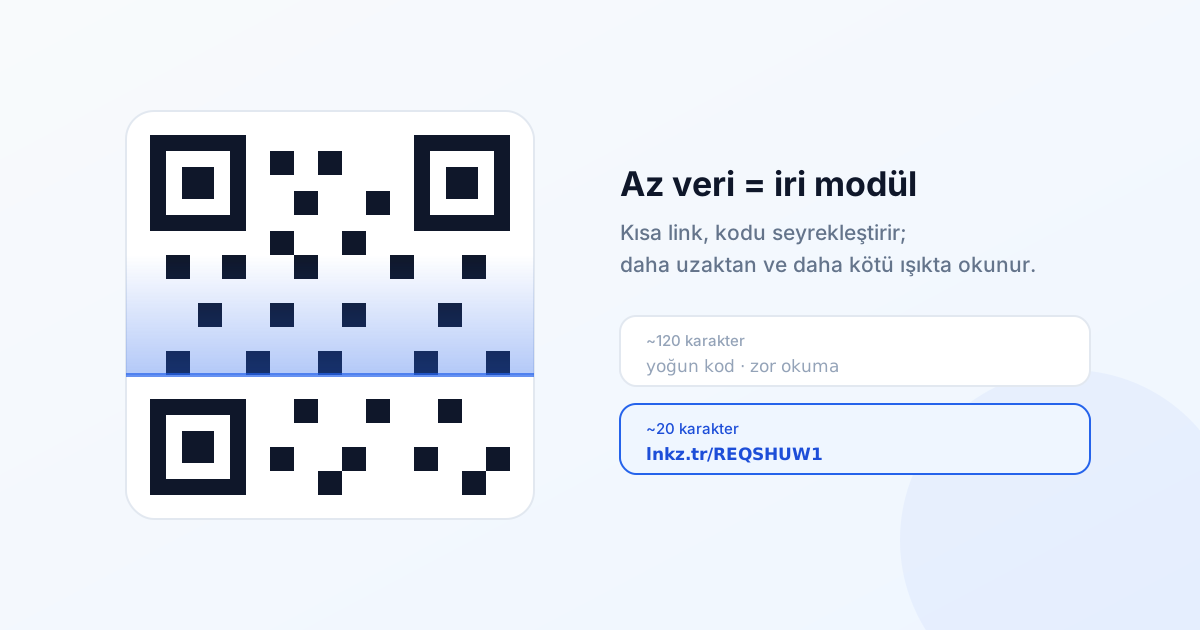
A QR code grows with the amount of data it carries. More characters means more modules (the little squares). More modules at a fixed physical size means each module gets smaller, and the camera has a harder time telling them apart.
| Content | Characters | Result |
|---|---|---|
| Long tagged address | ~120 | Dense code, tiny modules, hard to scan |
| Short link | ~20 | Sparse code, chunky modules, easy to scan |
Printed at the same physical size, the code containing a short link scans from noticeably further away and in worse light. On a shop window, a bus shelter or a projected slide, that difference shows up directly in scan rates.
The size rule
A simple ratio that works in practice: one tenth of the scanning distance.
- Hand-held leaflet (~30 cm): at least 3 cm
- Table card or menu (~40 cm): at least 4 cm
- Window or wall poster (~2 m): at least 20 cm
- Bus shelter or building façade (~5 m): at least 50 cm
If you have to go below that, your only remaining lever is reducing the data — which means using a short link.
Contrast and colour
Scanners look for contrast between dark modules and a light background. Most brand-driven recolouring destroys it.
- Dark modules on a light background. Not the reverse — many readers will not recognise an inverted code.
- Keep a strong lightness difference. Mid-blue on light grey looks fine on screen and fails on a phone.
- Avoid red modules; some camera sensors resolve red poorly.
- Do not place a code over a photograph. If you must, put a solid white box behind it.
Quiet zone
The code needs an empty margin at least four modules wide around it. The most common design mistake is trimming that margin to save space. The code is technically valid and practically unscannable.
Error correction level
The QR standard defines four levels: L (7%), M (15%), Q (25%), H (30%) — the percentage of the code that can be damaged while remaining readable.
Higher levels buy robustness but make the code denser. A reasonable balance:
- M for indoor print, magazines and menus — the default choice.
- Q or H for outdoor use, codes with a logo in the middle, or surfaces likely to wear.
If you are placing a logo in the centre, choose H and keep the logo under 20% of the code area. Using a short link offsets the extra density that high error correction introduces — which is precisely why you can afford both at once.
The real advantage: changing the destination
This is where short links earn their place in print. Encode a long address and, when the destination changes, the whole print run is waste. Encode a short link and you simply update the destination in the dashboard — ten thousand printed brochures stay valid.
The campaign ended and the page came down. With a long address encoded, users would hit a 404. Because it was a short link, you repointed it to a "this campaign has ended" page — users got an explanation, and you learned how many people arrived late.
Measurement
Scans should be distinguishable from ordinary clicks. The method is simple: create a dedicated short link for the QR and add utm_medium=qr to its destination. Running the same campaign across several placements? Create one code per placement: utm_source=window, utm_source=leaflet, utm_source=invoice.
Before it goes to print
- Print the code at final size — testing on screen is misleading.
- Test with at least three phones, including one older Android.
- Scan from the distance it will actually be used at.
- Try it in dim light and at an angle.
- Check the destination on mobile — everyone scanning is on a phone.
- Put a line of copy next to it: "Scan to book". A bare QR code motivates nobody.
Print the short link too
Add the text form under the code: lnkz.tr/REQSHUW1. Anyone whose camera fails, who cannot get the scan to work, or who is looking from across the room can type it instead. That only works if the address is short and readable — nobody will type out 120 characters.