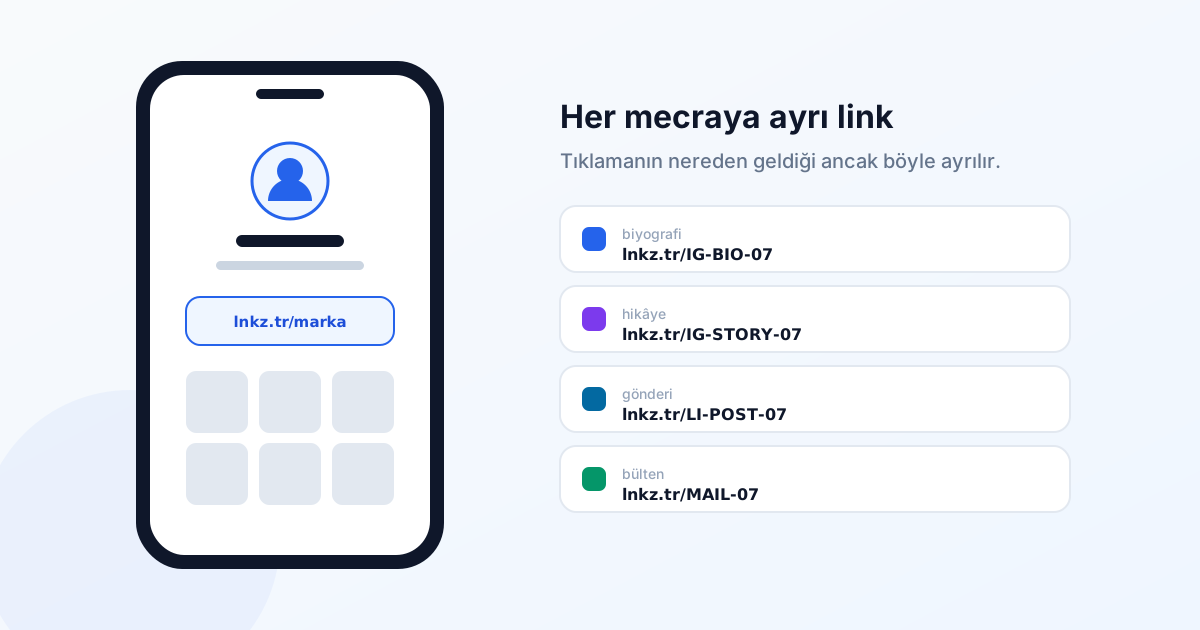
Every social platform shares one constraint: the places you can put a link are limited, and often not clickable. Working within that constraint means creating a separate, measurable short link for each placement.
Platform constraints
| Platform | Where links go | Note |
|---|---|---|
| Bio, stories, DMs | Addresses in captions are not clickable | |
| TikTok | Bio | Usually a single link slot |
| X / Twitter | Posts, bio | Character limits create pressure |
| Posts, profile | Posts with links can see reduced reach | |
| YouTube | Description, pinned comment | Only the first lines of the description show |
| Messages, status | Preview depends on Open Graph tags |
The Instagram bio link
That single bio slot is your most valuable piece of digital real estate. Two approaches work:
A permanent link
Put one lasting short link in the bio and change its destination from the dashboard as your content changes. lnkz.tr/brand can point at a new product page today and a campaign next week. You never edit the bio, and all-time click data accumulates in one place.
Per-campaign links
Create a new short link for each campaign and update the bio. Measurement is cleaner — each campaign's clicks are separate — but you have to edit the bio every time.
In practice a mix works: a permanent "main" link, swapped for a campaign link during campaign periods.
Story links
Stories live for 24 hours but leave a lasting analytical question: which story worked? Create a separate short link per story and you will know. Learning which of two creatives for the same product got clicked shapes the next one.
Setting an expiry on story links makes sense too — since the story disappears after a day, use a fresh link if you want to track delayed clicks coming from screenshots separately.
Measurement architecture
The structure that works: one short link per placement, UTM tags on every destination.
lnkz.tr/IG-BIO-07   → site.com/product?utm_source=instagram&utm_medium=bio&utm_campaign=july
lnkz.tr/IG-STORY-07 → site.com/product?utm_source=instagram&utm_medium=story&utm_campaign=july
lnkz.tr/LI-POST-07  → site.com/product?utm_source=linkedin&utm_medium=post&utm_campaign=july
The shortener reports the click; your analytics tool reports what happened after it. If creating these by hand is tedious, automate with the API — a small script driven by your content calendar is enough.
Preview cards
When you share a link, the platform reads the destination's Open Graph tags and renders a card with a title, description and image. Short links do not break this — platforms follow the redirect and read the final page's tags.
For the card to render properly the destination needs:
<meta property="og:title" content="...">
<meta property="og:description" content="...">
<meta property="og:image" content="https://...">
The image must be an absolute URL and at least 1200×630 pixels. If a card looks wrong, the problem is almost always on the destination page, not the short link.
Common mistakes
One link everywhere
Put the same short link in your bio, your stories, on LinkedIn and in the newsletter and you will see 3,000 clicks with no idea where any of them came from. If you are not measuring, creating links loses much of its point.
Leaving dead links
If the link in your bio points at a page that came down six months ago, every click is a lost visitor. Review your active links monthly and repoint any whose destination has disappeared.
Mistaking bot traffic for people
The moment a link is shared, platform preview bots fetch it. That produces a few clicks before anyone has seen the post. lnkz.tr flags bot requests separately and excludes them from the counter; with other tools, treat the first hour's numbers with suspicion.
Long, meaningless codes
People read the address in your bio. lnkz.tr/spring-sale and lnkz.tr/x7Kp2Q do not convert the same. Use readable codes wherever humans will see them.
Checklist
- Create a separate short link per placement.
- Add UTM tags to destinations; preserve the channel and content split.
- Use meaningful codes on human-facing links.
- Prefer a permanent bio link whose destination you change.
- Sweep for dead links monthly.
- Check the destination page's Open Graph tags.